 1 / 9
- Display diagonal:
- 39.6 cm (15.6")
- Display resolution:
- 1920 x 1080 pixels
- Product colour:
- Black
Philips 15.6″ Monitor · 1920 x 1080 · IPS · Black
Code: P1923
See the full descriptionOut of stock
€219.99
VAT included · Price without VAT €184.87 + VAT 19% €35.12
Currently unavailable
Delivery
- ACS pickup point Collect from an ACS branch or Smartpoint locker. Free
- ACS courier to your door Delivered to your home or office. Free
- Secure card payment with Revolut
- Official warranty, 2-year legal guarantee
- 14-day returns for consumers
Specifications
- Brand
- Philips
- Part number
- 16B1P3302D/00
- EAN
- 8712581799526
- Display diagonal
- 39.6 cm (15.6")
- Display resolution
- 1920 x 1080 pixels
- Product colour
- Black
- Touchscreen
- No
- Brand
- Philips
- Part number
- 16B1P3302D/00
- EAN
- 8712581799526
Display
- Display diagonal
- 39.6 cm (15.6")
- Display resolution
- 1920 x 1080 pixels
- HD type
- Full HD
- Native aspect ratio
- 16:9
- Display technology
- LED
- Panel type
- IPS
- LED backlight
- Yes
- Backlight type
- W-LED
- Touchscreen
- No
- Display brightness (typical)
- 250 cd/m²
- Response time
- 4 ms
- Anti-glare screen
- Yes
- Screen shape
- Flat
- Contrast ratio (typical)
- 700:1
- Contrast ratio (dynamic)
- 50000000:1
- Dynamic contrast ratio marketing name
- SmartContrast
- Maximum refresh rate
- 75 Hz
- Viewing angle, horizontal
- 170°
- Viewing angle, vertical
- 170°
- Display number of colours
- 16.2 million colours
- Pixel pitch
- 0.17925 x 0.17925 mm
- Pixel density
- 141 ppi
- Vertical scan range
- 48 - 75 Hz
- Viewable size, horizontal
- 34.4 cm
- Viewable size, vertical
- 19.4 cm
- Display diagonal (metric)
- 39.6 cm
- DDC/CI
- Yes
- Haze rate
- 25%
- Surface hardness
- 3H
- Colour depth
- 6 bit
- Colour gamut standard
- sRGB, NTSC
- Colour gamut
- 46%
- sRGB coverage (typical)
- 64%
- NTSC coverage (typical)
- 46%
- Display sRGB
- Yes
- Display panel size
- 15.6 inch / 39.6 cm
Performance
- NVIDIA G-SYNC
- No
- AMD FreeSync
- No
- Component video sync
- Separate Sync
- Flicker-free technology
- Yes
- Low Blue Light technology
- Yes
Multimedia
- Built-in speaker(s)
- No
- Built-in camera
- No
Design
- Market positioning
- Business
- Product colour
- Black
- Front bezel colour
- Black
- Feet colour
- Black
Ports & interfaces
- Built-in USB hub
- Yes
- USB Type-C DisplayPort Alternate Mode
- Yes
- USB Power Delivery (USB PD)
- Yes
- USB Power Delivery up to
- 15 W
- HDMI
- No
- Audio output
- Yes
- HDCP
- Yes
- HDCP version
- 2.2
Ergonomics
- VESA mounting
- Yes
- Pivot
- Yes
- Pivot angle
- 0 - 90°
- Tilt adjustment
- Yes
- Tilt angle range
- 0 - 90°
- On Screen Display (OSD)
- Yes
- On Screen Display (OSD) languages
- Portuguese, Czech, Dutch, English, Finnish, French, German, Greek, Hungarian, Italian, Japanese, Korean, Polish, Russian, Simplified Chinese, Spanish, Swedish, Traditional Chinese, Turkish, Ukrainian
- Plug and Play
- Yes
- LED indicators
- Operation, Stand-by
Power
- Energy efficiency class (SDR)
- C
- Energy efficiency class (HDR)
- Not available
- Energy consumption (SDR) per 1000 hours
- 9 kWh
- Power consumption (typical)
- 6.2 W
- Power consumption (standby)
- 0.5 W
- Power consumption (off)
- 0.3 W
- Power consumption (PowerSave)
- 4.4 W
- Energy efficiency scale
- A to G
Operational conditions
- Operating temperature (T-T)
- 0 - 40 °C
- Storage temperature (T-T)
- -20 - 60 °C
- Operating relative humidity (H-H)
- 20 - 80%
- Operating altitude
- 0 - 3658 m
- Non-operating altitude
- 0 - 12192 m
Weight & dimensions
- Width (with stand)
- 359 mm
- Depth (with stand)
- 119 mm
- Height (with stand)
- 232 mm
- Weight (with stand)
- 1.03 kg
Packaging data
- Package width
- 404 mm
- Package depth
- 103 mm
- Package height
- 281 mm
- Package weight
- 2.08 kg
Packaging content
- Stand included
- Yes
- Cables included
- USB Type-C
- Manual
- Yes
- Bundled software
- SmartControl
Sustainability
- Sustainability compliance
- Yes
- Sustainability certificates
- ENERGY STAR
- Doesn't contain
- Mercury, PVC/BFR
Other features
- Compatible operating systems
- DDC/CI, Mac OS X, sRGB, Windows 11 / 10 / 8.1 / 8
- Exterior finish type
- Textured
- Monitor sync input signal
- Separate Sync
- User controls
- SmartImage, Input, Menu, Power On/Off
- Picture enhancement
- SmartImage
- Regulatory Approvals
- CB, TUV/GS, TUV Ergo, CU-EAC, EAEU RoHS, CE Mark, FCC Class B, ICES-003, cETLus
- EasyRead mode
- Yes
- LowBlue mode
- Yes
- Compliance certificates
- RoHS
- Mean time between failures (MTBF)
- 70000 h
Recycling data
- Packaging recyclability rate
- 100%
- Product post-consumer recycled plastic
- 60%
Description
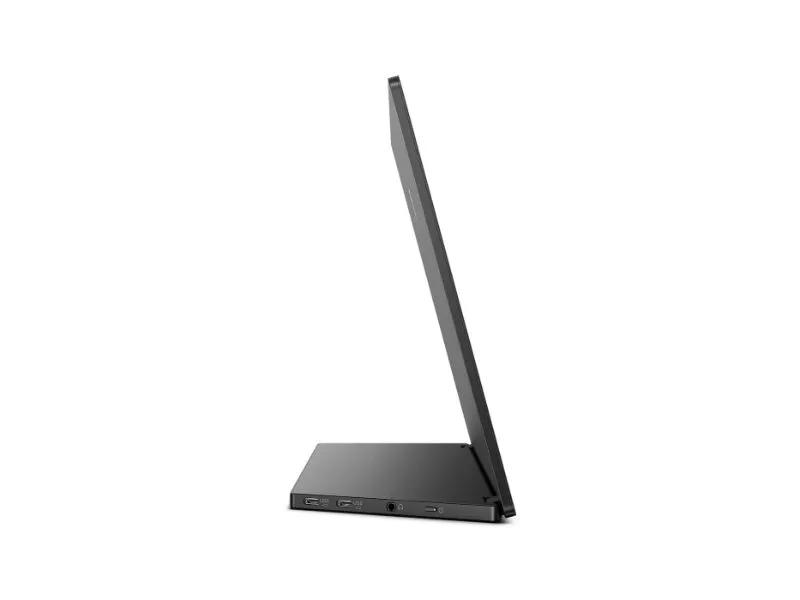
Dual USB-C: For ultimate connectivity
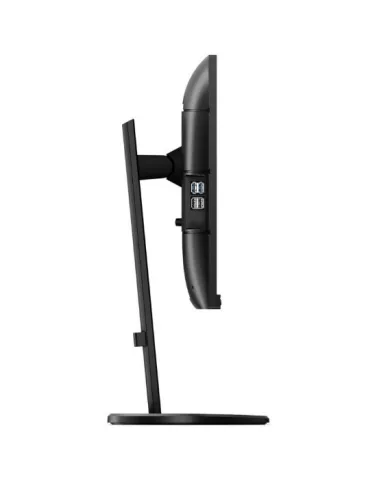
This feature is geared toward those who are looking for a product that facilitates productivity. This monitor showcases two ports on the side of the monitor where each USB-C cord can be plugged in and then used simultaneously for multiple purposes; such as, but not limited to: charging, presenting, and as an add-on to a dual screen setup.
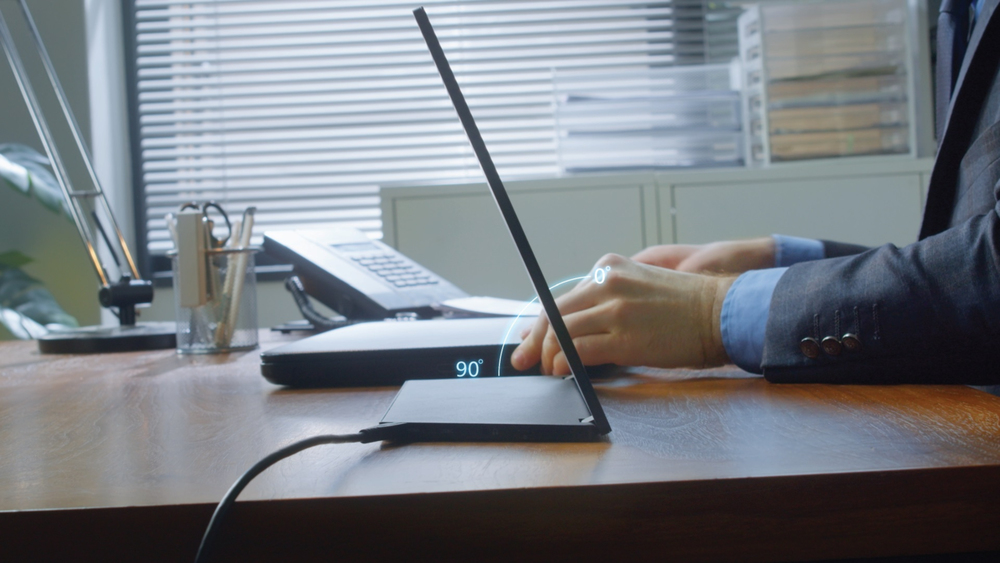
Continuous tilt stand to fit your viewing needs
Our continuous tilt stand bends from 0 to 90 degrees with the kind of flexibility to allow you to get comfortable anywhere you need to keep up with your work.

Lightweight and foldable design for portability
Enjoy a clean, portable, dual-screen workstation. The soft, smooth, pliable USB-C cable is designed to be easy to carry and fit in any bag.
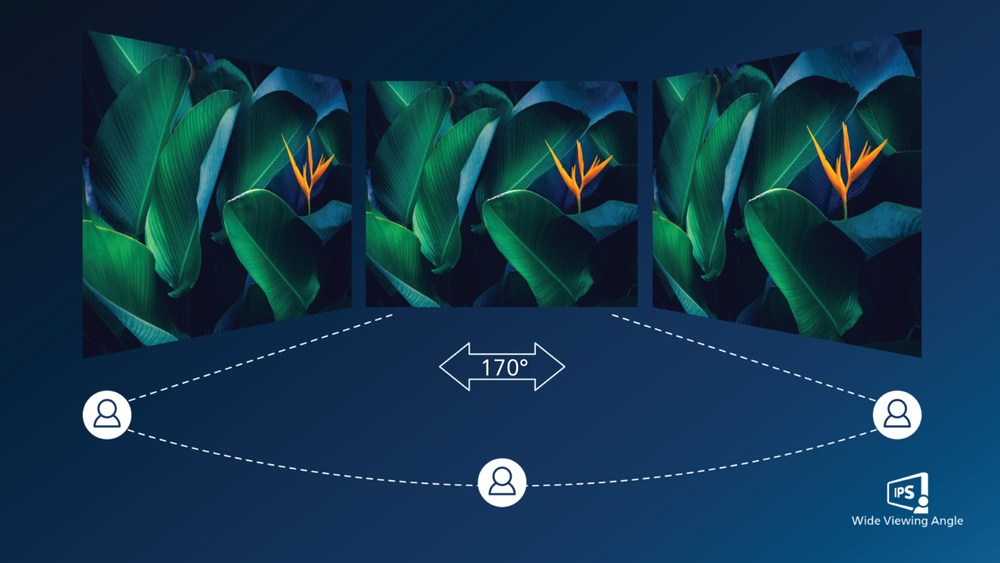
IPS LED wide view technology for image and color accuracy
IPS displays use an advanced technology which gives you extra wide viewing angles of 170/170 degree, making it possible to view the display from almost any angle. Unlike standard TN panels, IPS displays gives you remarkably crisp images with vivid colors, making it ideal not only for Photos, movies and web browsing, but also for professional applications which demand color accuracy and consistent brightness at all times.
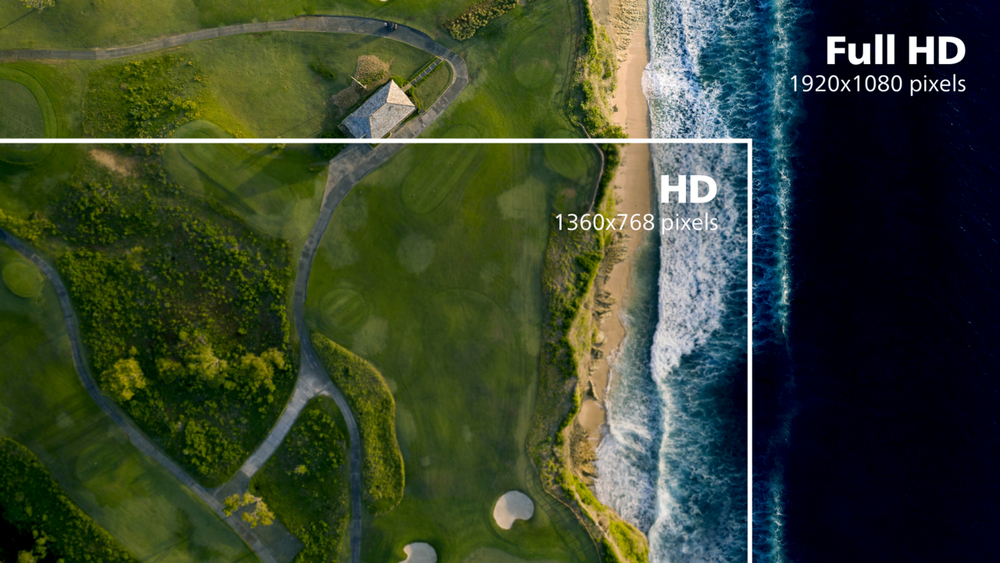
16:9 Full HD display for crisp detailed images
Picture quality matters. Regular displays deliver quality, but you expect more. This display features enhanced Full HD 1920 x 1080 resolution. With Full HD for crisp detail paired with high brightness, incredible contrast and realistic colors expect a true to life picture.
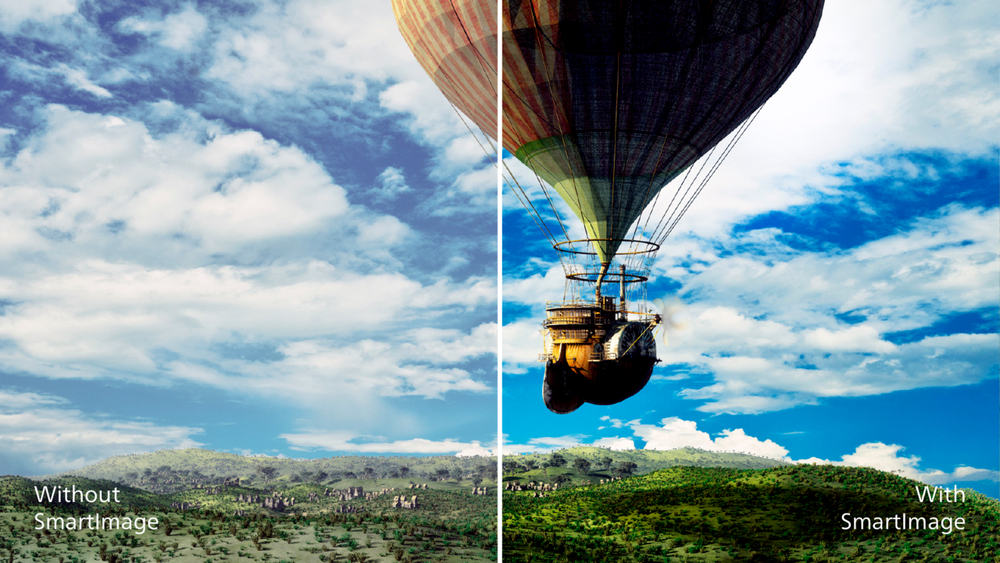
SmartImage presets for easy optimized image settings
SmartImage is an exclusive leading edge Philips technology that analyzes the content displayed on your screen and gives you optimized display performance. This user friendly interface allows you to select various modes like Office, Photo, Movie, Game, Economy etc., to fit the application in use. Based on the selection, SmartImage dynamically optimizes the contrast, color saturation and sharpness of images and videos for ultimate display performance. The Economy mode option offers you major power savings. All in real time with the press of a single button!
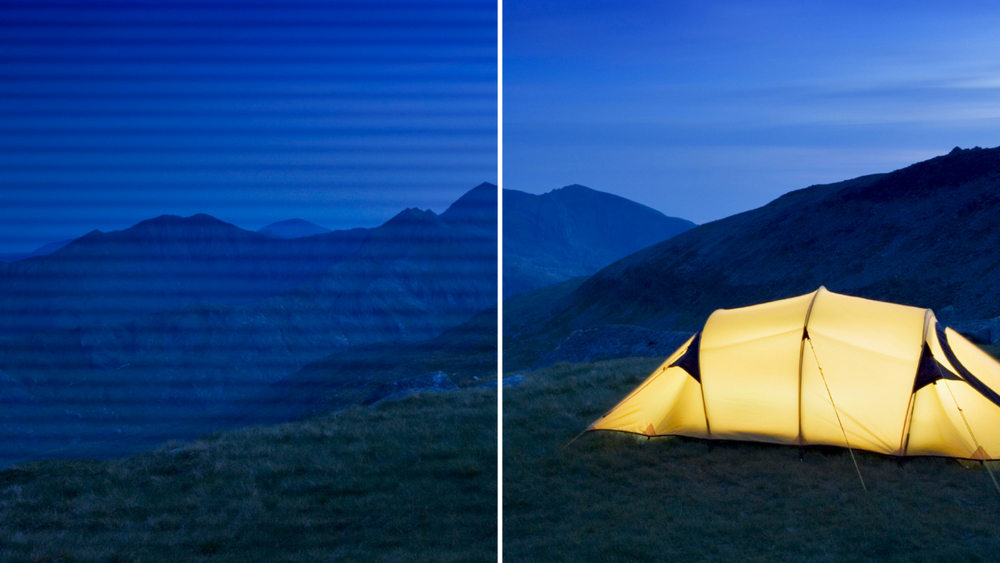
LowBlue mode and Flicker-free easy-on-the eyes viewing
Our LowBlue Mode and Flicker-free technology have been developed to reduce eye strain and fatigue often caused by long hours in front of a monitor.
You may also like